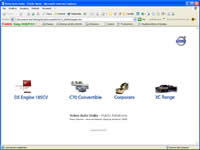
Stargate, home page, of course.
Click on thumbnails to activate WEB Area's links:
D5 Engine 185CV
C70 Convertible
Corporate
XC Range
Whatching the little pictures on top/left in page
you can understand where you are...
Click on thumbnails to activate WEB Area's links:
D5 Engine 185CV
C70 Convertible
Corporate
XC Range
Whatching the little pictures on top/left in page
you can understand where you are...
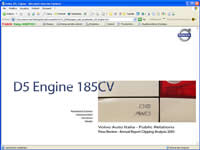
In the web area selected you can open the
following links
for the page:
Management Summary
Clipping Analysis
The Edicola
for the page:
Management Summary
Clipping Analysis
The Edicola
Left, D5 Engine 185CV index, for example.
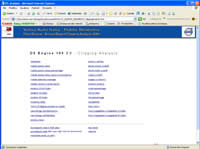
Clipping Analysis WEB Area D5 Engine 185CV,
for example.
Choose a link in the page to open the preferred chart
In end page you can select some utilities:
Powerpoint in WEB Area, Powerpoint slide show
(also available for download in your computer),
chart&pie ready to print for Adobe *pdf file (all the studio's pages).
In right page you can read some information about
Press Review Clippings Analysis 2005 following
the links "Key table" and "Read me". With the link "back"
you can return to section index, D5 Engine 185CV, in this case.
Choose a link in the page to open the preferred chart
In end page you can select some utilities:
Powerpoint in WEB Area, Powerpoint slide show
(also available for download in your computer),
chart&pie ready to print for Adobe *pdf file (all the studio's pages).
In right page you can read some information about
Press Review Clippings Analysis 2005 following
the links "Key table" and "Read me". With the link "back"
you can return to section index, D5 Engine 185CV, in this case.
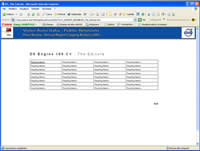
The Edicola WEB Area D5 Engine 185CV, for
example.
Now you can select the Heading to see the article:
if you click on the name and you can open
another page with all issued articles thumbnails'.
Then you select the page to read/to see.
Now you can select the Heading to see the article:
if you click on the name and you can open
another page with all issued articles thumbnails'.
Then you select the page to read/to see.
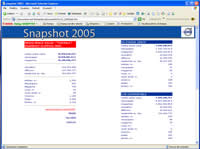
In the "Snapshot" Area you found all the
information about general press review.
The "numbers" of each WEB Area 2005 and the 2005 report.
We display the media space value, the circulation, diffusion...
photos/pages/columns number, and so and so...
back to "Stargate", ready to start...
... and, please, read the WEB Pages "Key table" and "read me"
to understand the Press Review's criteria...
information about general press review.
The "numbers" of each WEB Area 2005 and the 2005 report.
We display the media space value, the circulation, diffusion...
photos/pages/columns number, and so and so...
back to "Stargate", ready to start...
... and, please, read the WEB Pages "Key table" and "read me"
to understand the Press Review's criteria...